
DeepSeek AI: Chat, App and Models
DeepSeek is a Chinese artificial intelligence company that builds large language models and an AI assistant for writing, coding, learning and reasoning. Start with its web chat or mobile app if you want help with a task. Developers can connect through the API or run downloadable models on their own hardware.
Chat-Deep is an independent website. The two buttons open separate services: DeepSeek’s official assistant and the chat available on Chat-Deep.
Our browser chat is free to use without a Chat-Deep account, subject to usage limits, and is for adults aged 18 and over. Messages and images pass through Chat-Deep to the DeepSeek API; saving a conversation in your browser does not make that processing local. Read our Terms of Service and Privacy Policy before using it.
Explore DeepSeek: Chat and apps · What you can do · Models · API and business uses · Costs · Local setup · Privacy · Official links · FAQ
Choose how you want to use DeepSeek
For a first conversation, the browser is the simplest starting point. You can ask a question without installing model files or setting up developer tools. Choose the phone app if you prefer a dedicated assistant on your mobile device.
| Option | Best starting point for | What it involves |
|---|---|---|
| Official web chat | Questions, writing and everyday assistance. | Open the hosted assistant in your browser and follow its sign-in instructions. |
| Mobile app | Using the assistant on iPhone or Android. | Follow DeepSeek’s official download links to get the correct app. |
| DeepSeek Harness | Desktop work involving files, projects and coding. | Harness is a separate product in preview, with tools for working beyond a chat reply. |
| API | Adding AI responses to software or a repeatable workflow. | Use a developer account, API key and usage billing through the DeepSeek platform. |
| Local model | Managing the model and where it runs yourself. | Download compatible model files and arrange the hardware and software to run them. |
These routes serve different needs. Installing the mobile app does not mean the model runs on your phone, and a desktop interface does not automatically mean offline processing. If your aim is simply to draft an email or understand a topic, begin with chat. Our app guide covers the mobile option; the API guide explains the developer setup.
When should you choose Harness?
Choose DeepSeek Harness when the job involves working on a project: editing files, organizing documents, preparing a spreadsheet or making changes across a codebase. It combines a model with tools that can take actions, rather than only returning a reply. Harness is in preview and is available as a desktop app or through its open-source runtime. Start with a small project you can review, and understand the permissions you grant. Our Harness guide explains the setup and how it differs from ordinary chat.
What can DeepSeek help you do?
A useful request gives DeepSeek something specific to work on. Describe the task, provide the relevant material and say what the finished answer should look like. These examples show how to turn a general idea into a workable request.
- Write or improve a draft. Paste your notes and identify the audience. For a delayed order, try: “Write a customer update from these notes. Keep the delivery date unchanged, acknowledge the delay and make the next step clear.” Review the promises it includes before sending.
- Understand or fix code. Include the language, the relevant function, the error and what you expected to happen. Ask for the smallest change that addresses the problem and an explanation. Avoid pasting access keys or an entire private project when a short example will do. The coding guide develops this approach.
- Learn a difficult idea. Ask for an explanation at your level, followed by a worked example. You can then ask it to question you on the same idea. For calculations, check the assumptions and arithmetic rather than trusting an answer because it includes several steps.
- Summarise or translate text. Supply the source and specify what must survive the rewrite: dates, names, disagreements or technical terms. “Summarise this meeting into decisions, owners and unresolved questions” is more useful than “summarise this.”
Treat the first response as a draft you can refine. If it misses the point, identify the missing detail: “Keep the example, remove the introduction and explain the second step.” You do not need a long, complicated prompt for every task.
For a document, ask a question that you can check against the original: “Which deadlines appear in this brief, and which team owns each one?” That gives you a clearer result to review than an unrestricted summary. If the answer adds a deadline that is not in the source, correct it before using the output. The use-case guides cover writing, study, translation and document work in more detail.
When is DeepSeek a good fit?
DeepSeek is worth considering when your work centres on text, explanations or coding help, or when you want access to downloadable models. Begin with one task you can judge: an email whose facts you know, a function you understand, or notes you can compare with the summary.
If you are choosing between assistants, compare the complete workflow. A model’s published score says little about whether the app has the tools you need, accepts your files or fits your budget. Our DeepSeek vs ChatGPT and DeepSeek vs Claude guides explain those product choices.
The choice changes when a specific feature is essential. Check the tools available in the actual product—file handling, image generation, connected services or team controls—before switching your work to it. A downloadable model gives developers another option, but also brings setup and maintenance. Use the comparison hub to narrow the choice around your task and the service you intend to use.
The company behind DeepSeek
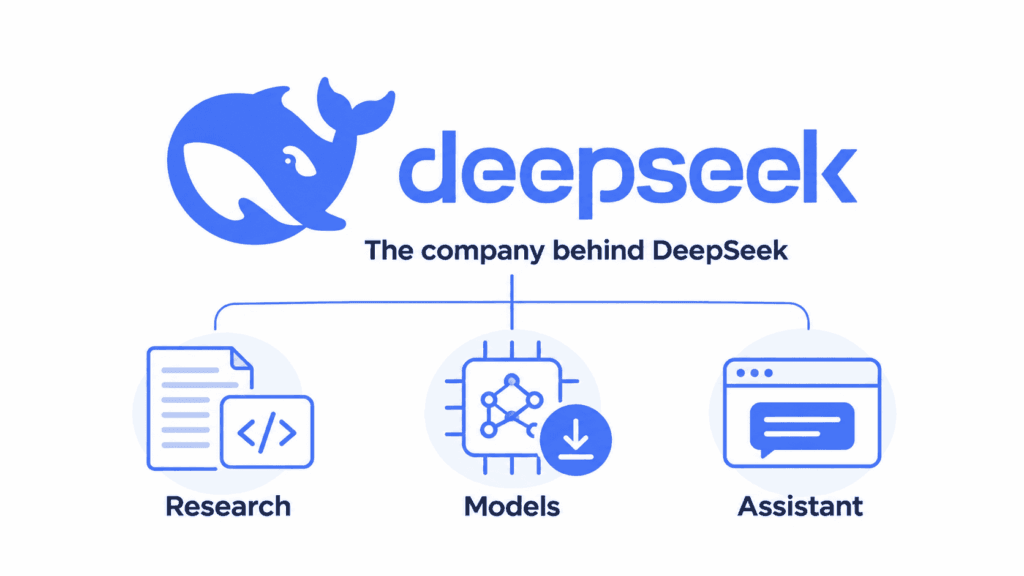
DeepSeek is based in Hangzhou, China. The same name appears on the company’s research, its models and its consumer assistant, which can make product descriptions confusing. A model is the system that generates responses; the app or website supplies the interface and any additional tools around it.
In its model disclosure, the team describes a focus on fundamental model research and artificial general intelligence, or AGI. That is a research direction, not a claim that its assistant can reliably handle every human task.
Its public work includes technical reports, model repositories and downloadable releases, alongside hosted services. The significance of that approach is practical: developers and researchers can study the published methods and build with released models, while ordinary users can start with an assistant. It creates options beyond relying on a single hosted interface. Our introduction to DeepSeek explains the company and products further.
DeepSeek models and what performance claims mean
DeepSeek is a family of models, not a single version that stays the same everywhere. The official API currently lists DeepSeek-V4.1-Flash as deepseek-flash and DeepSeek-V4-Pro-0813 as deepseek-v4-pro. The API change log confirms that V4 Pro service continues. For a new integration, use the documented model name rather than copying an older tutorial’s identifier.
| Model or family | What to know | Where it fits |
|---|---|---|
| V4.1-Flash | A current general-purpose model with native visual understanding, alongside text, reasoning and coding capabilities. | Hosted API applications that need text or supported image input. Check the client’s feature support. |
| V4 Pro | A separate model option retained in the current official API. | Another choice for text and agent workflows. Compare task suitability and cost; the name alone does not establish better answers. |
| R1 and its distilled models | A reasoning-focused family, including smaller releases based on Qwen and Llama. | Understanding DeepSeek’s reasoning research or choosing a specific downloadable checkpoint. |
| V3 | An earlier general-purpose family with published weights and technical documentation. | Reading older research and running that particular release, rather than identifying every current hosted service. |
The V4.1-Flash announcement describes its native visual understanding. That means a supported interface can accept images for analysis; it does not mean every DeepSeek client has identical upload tools or can generate pictures.
DeepSeek also publishes specialized projects. DeepSeek-OCR provides document and image-to-text workflows, while Janus explores visual understanding and image generation. These are separate releases with their own setup and intended uses. Their existence does not establish that the same feature is built into your chat app.
Reasoning models are designed for problems that benefit from working through several steps, such as maths, code and logic. This does not make every answer correct, or mean that a longer response is better. For a straightforward rewrite, the useful result is clear text that preserves your meaning.
In its January 2025 R1 release, DeepSeek reported performance comparable to OpenAI’s o1 on selected maths, coding and reasoning benchmarks. Those are the developer’s reported evaluations of particular releases. They help explain the model’s intended strengths, but they are not a current ranking of whole products or a guarantee for your task.
The V3 documentation also explains its mixture-of-experts architecture: 671 billion total parameters, with 37 billion activated for each token. Only part of the model performs the computation for a token, but the full model still has substantial storage and memory needs. The smaller active number does not make it a small laptop download.
Another figure to interpret is the context window: how much material a model can work with at once. A larger window can accommodate longer inputs, but does not prove that every detail will be used correctly. Compare the actual release, task and access method. Our model guide keeps the detailed choices together.
DeepSeek API: building apps and business workflows
The API is the route to choose when another application needs to send a request and receive a model response. You need a DeepSeek developer account, an API key and a funded balance. The official quick start documents OpenAI-compatible and Anthropic-compatible interfaces. Compatibility lets developers reuse familiar tools, but the endpoint, model names and supported options still need to match DeepSeek.
For the OpenAI-compatible route, the base URL is https://api.deepseek.com. Start with deepseek-flash for the current Flash model; deepseek-v4-pro is the separate Pro option. Keep the key on your server rather than embedding it in a public webpage or mobile app. Our API setup guide walks through the first request and common errors.
The model specifications list a 1-million-token context window for both models and native vision for Flash, not Pro. The API reference documents thinking and non-thinking modes, JSON output, tool calling and a maximum output of 384K tokens. Input and generated tokens must fit within the context limit together. These API limits do not establish an app’s upload size or answer length.
What can you build with it?
Useful integrations start with a defined job and a way to check the result. These are possible workflow designs, not claims that DeepSeek supplies a finished business system:
- Search your own knowledge base. Retrieve relevant passages from approved documents, then ask the model to answer from those passages and cite them. This approach, often called retrieval-augmented generation or RAG, needs a retrieval system and access controls around the model.
- Turn text into structured records. Ask for fields such as a ticket category, order reference or requested action. JSON output can help software consume the response, but your application must still validate the values and handle missing information.
- Assist a multistep workflow. A model can request a tool action, such as looking up an order or preparing a draft. Your application decides which tools exist, checks arguments and permissions, and controls whether an action runs. Require approval for consequential actions instead of treating a generated request as authorization.
Begin with one bounded workflow, such as drafting a reply for an employee to review. Check the response against the source record and measure the cost of the complete process, including retries and tools. The integrations directory covers ways to connect DeepSeek with other software.
Is DeepSeek free, and when do you pay?
DeepSeek advertises its official mobile assistant as free to use. Its developer API is a separate service billed for input and output tokens—the units used to measure what the model receives and generates. Longer requests, longer answers and repeated calls can all affect the bill.
The official download page confirms free mobile chat. For developers, the following rates were checked against DeepSeek’s USD price list on October 11, 2026. All amounts are per 1 million tokens, not monthly subscriptions.
| Model and time window | Input, cache miss | Input, cache hit | Output |
|---|---|---|---|
| Flash — off-peak | $0.15 | $0.003 | $0.60 |
| Flash — peak | $0.30 | $0.006 | $1.20 |
| V4 Pro — off-peak | $0.66 | $0.022 | $1.98 |
| V4 Pro — peak | $1.32 | $0.044 | $3.96 |
Peak periods are Monday–Friday, 01:00–04:00 and 06:00–10:00 UTC, excluding Chinese public holidays. Other times use off-peak rates. A cache hit is input reused from the provider’s cache; it does not make output free.
For an illustrative Flash request using 100,000 uncached input tokens and 10,000 output tokens, off-peak model charges would be $0.015 + $0.006 = $0.021. The same token counts at peak rates would cost $0.042. This example covers those tokens only; repeated requests or additional services change the total.
Downloading model weights also differs from running them at no cost. You may need suitable hardware, electricity or rented hosting. Third-party chat services set their own prices and limits, so a free-access claim about the official assistant does not automatically apply elsewhere.
Start with the assistant for personal chat. Consider API billing when you need an integration. See what is free or the pricing guide for the costs relevant to your route.
Open-source releases and running DeepSeek locally
DeepSeek publishes code and documentation on GitHub, with model weights available through Hugging Face. Weights are the learned model files used to generate responses. Having access to them lets developers operate a model outside DeepSeek’s hosted assistant.
For example, the R1 release includes smaller distilled models based on Qwen and Llama. They offer more manageable starting points for local use than the full-size release. They are distinct models with their own capabilities; downloading a smaller version does not reproduce the full model’s results.
Choose the checkpoint before the runtime. A smaller, quantized model may fit your available memory, while a full-size release may require several GPUs or a hosted deployment. Quantization reduces the storage needed for model values, with a potential quality tradeoff. Leave memory for the conversation and runtime as well as the model files; download size alone is not a sufficient hardware specification.
Local inference means running the model to produce an answer on hardware you control. DeepSeek’s repositories document serving options such as vLLM and SGLang. The right setup depends on model size, memory, the software’s hardware support and the amount of text you need to process. Check our system requirements guide before choosing files or buying hardware.
Licensing matters too. R1’s repository and weights use the MIT licence, while distilled releases also identify their Qwen or Llama foundations and relevant licences. Read the terms for the exact checkpoint you plan to use. An open release does not mean the hosted chat, every dataset and every product share identical terms.
Privacy and checking the answers
For important information, verify the answer against its source. Review generated code before running it. Keep passwords and API keys out of prompts, and check your organisation’s rules before sharing confidential material. The safety guide covers the privacy questions to consider for hosted and self-managed use.
For the services covered by DeepSeek’s privacy policy, the company says it collects, processes and stores personal data in China. That matters if your work has requirements about where data can be handled. A third-party app has its own operator and policy; a self-managed model gives you a different setup to assess. Check the service you will actually use, rather than judging privacy from the model name alone.
Self-hosting changes who operates inference, but privacy depends on the whole setup. A local application can still send information through search tools, plugins, telemetry or a remote model endpoint. Check those connections, access permissions, stored conversations, logs and backups. “Runs locally” is useful information about the model, not a complete privacy assessment.
Where to find official DeepSeek services
Use the official DeepSeek website as the starting point when checking a service or download. These destinations serve different purposes:
- Official web chat for conversations, and official downloads for mobile apps and Harness desktop.
- DeepSeek API Platform for developer access, API keys and billing, with API documentation for implementation details.
- DeepSeek on GitHub for code and research repositories, and DeepSeek on Hugging Face for model releases.
- Official service status for provider incidents. A problem with a third-party application may have a different cause.
Chat-Deep.ai is an independent publication and chat service. We explain the products and link to their original sources; we do not manage official DeepSeek accounts, subscriptions or support cases. Our editorial policy explains how articles are researched, checked and reviewed before publication.
Frequently asked questions
Can I use DeepSeek without downloading anything?
Yes. Open the official web chat in your browser and follow its sign-in instructions. You do not need model files or an API key for ordinary conversations.
Is DeepSeek available everywhere?
DeepSeek’s terms say availability and features can vary by jurisdiction. Check the official chat or download page for the options available to you. An app listing from another country does not establish access in your location.
Does DeepSeek work without an internet connection?
The hosted assistant needs a connection. A properly configured local model can generate responses offline once its files and software are installed, provided it does not rely on a remote service. Web search and other online tools still need internet access.
Can DeepSeek search for up-to-date information?
Use the search option when it is available in the assistant you are using, and open the sources it returns. A fluent answer on its own is not evidence that a search happened. For changing facts, check the source date as well as the answer.
Can I use DeepSeek in English?
Yes. DeepSeek’s official examples include English writing and Chinese–English translation. State the language you want in your request. For important translations, review names, technical terms and tone rather than assuming every language or task has the same accuracy.
Can DeepSeek read a document I upload?
The official assistant includes file-upload functionality. What it can extract depends on the file and the features available in your client. Start with a specific question about the document and check the relevant passage yourself. Do not assume scanned pages, diagrams or every file type are supported equally.
Why is DeepSeek not responding?
First check whether the problem affects the official service or just your session. Service interruptions, connection problems and login issues need different fixes. The troubleshooting guide links to the official status page and walks through the common causes.
Does an API payment upgrade the chat app?
API credit pays for developer requests under API billing. Do not treat it as a consumer chat subscription or assume it changes the app’s limits. Confirm which service a payment applies to before adding funds.
Can I use DeepSeek without an account?
Chat-Deep’s independent browser chat does not require a Chat-Deep account. DeepSeek’s official service has its own sign-in process and terms. The two services have separate features and limits, so use the button for the one you intend to access.
Does DeepSeek generate images?
DeepSeek’s Janus projects include image generation, but they are separate from its general chat products. Image understanding, image uploads and image generation are different capabilities. Check the exact product rather than assuming a visual model can create pictures in every interface.
Is DeepSeek better than ChatGPT or Claude?
There is no single answer across all tasks and products. Compare the features you need, the quality of an answer you can check, the cost of your usage and the service’s data terms. A model benchmark does not tell you whether a whole app suits your work.
Start with the task you want to finish
For a first use, choose a short task with a result you can judge: improve a draft, explain a function or pull the decisions from a set of notes. Open the official assistant or Chat-Deep’s independent chat, provide the relevant material and say what a useful answer should contain. Check the result, then ask for the specific change you need.
If you already know that you need automation, start with the API guide. If your priority is running a model on your own infrastructure, choose a checkpoint and check its requirements first. That choice of route matters more than picking a model name before you know the job.